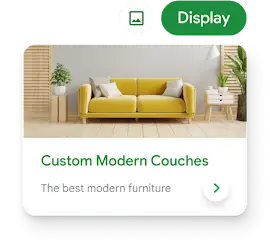
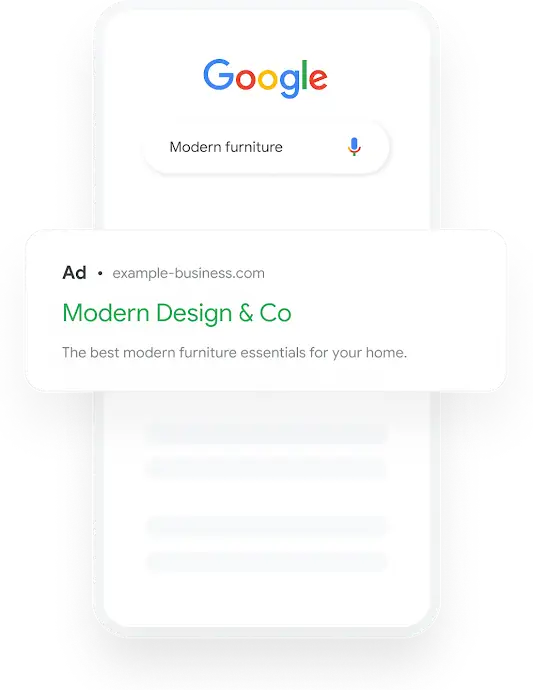
With AdWords, you can easily expand your reach to customers who are on-the-go. Audiences are increasingly stepping away from their desktop computer and searching and browsing the web from their phone. Mobile advertising with Google is a low-cost way to reach these customers. You can simply extend your existing desktop-targeted AdWords campaigns or create a unique, mobile-specific campaign. Begin testing and learn how this growing advertising opportunity can fit into your marketing plans.
-
Target multiple devices. Your desktop-targeted campaign can be extended to reach high-end phones like the iPhone or G1, or you can create campaigns formatted for standard mobile phones.
-
Reach mobile searchers and the mobile web. Your campaigns can reach mobile searchers with text ads as well as mobile website visitors with text and display ads.
-
Bid for clicks or for calls. We'll let you pay only for the calls to your business generated by your ads. If it's clicks to your mobile site you want, you can pay for those as well.
Plan your mobile campaign with the right keywords, budgets and bids
- Explore the mobile search ads opportunity using the mobile campaign Keyword Tool
-
Keyword Tool
This is step one for any mobile search advertising campaign. Use the Keyword Tool to get new keyword ideas. Just enter a few descriptive words or phrases, or type in your website's URL, and we'll generate a list of keyword ideas.
Tip: If you're using the Keyword Tool inside your AdWords account (rather than the stand-alone tool) then as you build a mobile ad campaign we'll automatically base the keyword suggestions and query volume numbers on mobile searches.
- See how high-end mobile device users are finding your site with Google Analytics
-
Google Analytics
See what iPhone users are doing on your site and compare that to desktop computer users. And since Analytics is integrated with AdWords, you can also see your ad performance for this specific segment.
Advanced Segmentation is one of Google Analytics' most powerful features – you can use it to slice and dice your Google Analytics data by, well, pretty much anything.
Target your ads to the right people, at the right time
- Target specific searches on mobile phones with keyword targeting
-
Keyword Targeting
Reach the mobile audience with targeted messages at the precise moment they search using keywords you select – keywords related to your business.
- Reach readers of mobile web pages reading about specific concepts with contextual targeting
-
Contextual Targeting
Contextual targeting means using keywords to match your ads to standard and mobile web pages featuring your chosen topics, themes and concepts. For example, if you enter keywords related to ring tones, and we have a user visiting a mobile web page about ring tones, then your ad may show on that page.
- Extend desktop computer campaigns to iPhones and other high-end mobile devices
-
Target High-end Mobile Devices
Show your desktop text and image ads on the iPhone, the T-Mobile G1, and other mobile devices with full (HTML) Internet browsers. The ads can point to desktop landing pages so you don't need to create mobile landing pages or ads in mobile formats. These ads have many of the same benefits as our standard mobile ads, such as the delivery of mobile-specific calls-to-action and reaching mobile users that are searching with their phones more than ever.
- Target ads for your mobile website to only compatible devices
-
Target Compatible Devices
Specify the markup language in which your mobile website is written so we can make sure your ads are shown on compatible devices. Mobile websites are presented in various markup languages (wml, xhtml, chtml) and not all mobile devices are compatible with each format.
- Target specific carriers with advanced carrier targeting
-
Carrier Targeting
With the carrier targeting feature, you can choose which mobile carriers' users will see your mobile ads. Depending on the carrier you choose, you can create operator-specific messages in your ads (e.g., "Ringtones for X Mobile Carrier") or display your ads only on carriers that support your ads' landing pages.
- Set your campaigns to appear only during certain times with ad scheduling
-
Ad Scheduling
Use ad scheduling to set your campaigns to appear only during certain hours or days of each week. For example, you might set ads to run only on Thursdays and Fridays to promote a Friday sale, or from 3:00 p.m. until 6:00 p.m. daily to promote your dinner menu. With ad scheduling, a campaign can run all day, every day, or as little as 15 minutes per week.
Create a great ad made just for mobile phones
- Easily create mobile text ads with our Ad Creation Wizard
-
Mobile Text Ads
Mobile ads are optimized to appear on small mobile devices. Google uses mobile-specific text ads for advertising on mobile search results pages and across our mobile network. To keep them targeted, each text ad is associated with your choice of keywords. You can have multiple text ads for a group of keywords, and because text is fast and easy to edit, it's fast and easy (and a good idea) to test the performance of different messages.
- Add mobile-ready image ads to run across our network of mobile web sites.
-
Mobile Image Ads
Mobile ads are optimized to appear on small mobile devices. Google uses mobile image ads size options that match the Mobile Marketing Association standards. Mobile-specific image ads are eligible to be shown to users across our network of mobile websites using any of the targeting options available to desktop-targeted ads.
Bid and pay only what it's worth to you
- Bid what you're willing to pay per click with CPC pricing
-
Cost per Click (CPC)
How much is a click on your ads worth to you? Is it different for different ads? Does it depend on the keyword that triggers the ad? Enjoy full flexibility and freedom to price your ads as you see fit. Keep in mind that our auction rewards higher click through rates, so take advantage of all the tools we have to help you improve your performance.
- Bid for telephone calls to your business
-
Pay per Call
For mobile text ads, you can bid to connect users to your business via telephone, in addition to the option of directing users to your mobile webpage. Enter your business phone number when you create a mobile text ad, and a Call link will appear at the end of your ad text.
Maximize your ROI by improving the performance of your ads
- Know your mobile ad performance and placements using AdWords Report Center
-
AdWords Report Center
Spend wisely by easily creating customized performance reports to track and manage multiple facets of your campaigns. We'll report your detailed performance, from the cost you pay for every click or call to the revenue for every resultant sale on your website. Compare performance across different mobile ads and if you're running on the Display Network, run a placement performance report to see which placements are making an impact. Armed with these statistics you can adjust your targeting and pricing to get the most out of your advertising dollars.
- Add after-the-click ROI reporting with Conversion Tracking
-
Conversion Tracking
When you use AdWords Conversion Tracking we'll report what happens after the click to the PC- and mobile-versions of your website. Every ad campaign is different, so you tell us what's important to track. You can track purchases, page views, signups, or leads. Once the tracking is set up, you'll see the conversion data in your performance reports.

Share this page: